
Getting the infrastructure in place is usually the hard part: a real system for clients, invoicing, and operations instead of a pile of loose spreadsheets. Once that’s done, a different problem shows up. The direct answer to what comes next: you need workflow automation tools for small business owners to handle the daily repetitive motions that infrastructure alone doesn’t touch — someone still has to send the same follow-up email fifteen times a week, manually update a status field, or copy the same information from one form into another.
It helps to be clear about what each piece is actually for. Infrastructure is the system that holds your business together. Automation is what handles the repetitive motions inside that system, so a person doesn’t have to do them by hand every single time.

Infrastructure first, automation second
Business owners often assume they need one or the other, when in practice most growing businesses eventually need both — just not at the same time. Infrastructure usually comes first, because automating a task that lives inside a messy, undocumented process just automates the mess. Once the process itself is solid, automation is what removes the manual grind from it.
A few everyday examples make this concrete:
- A new client fills out an intake form — instead of someone manually creating a folder and sending a welcome email, a workflow does both automatically.
- An invoice becomes overdue — instead of someone checking a spreadsheet every Friday, a reminder goes out on its own.
- A project reaches a certain stage — instead of updating five different people by hand, a status update posts automatically.
None of these are complicated ideas. They’re just tasks that used to eat ten minutes here and there, now handled without anyone thinking about them.
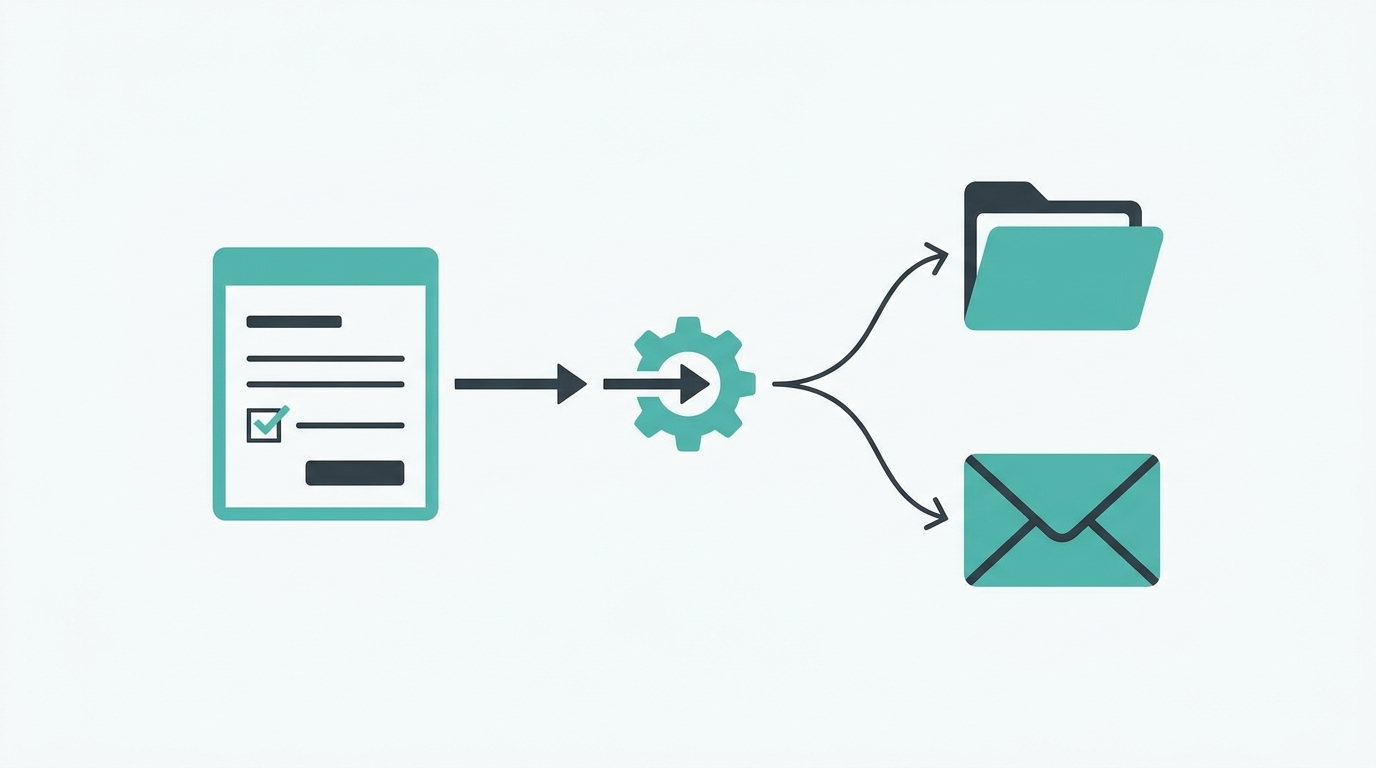
Infrastructure vs. automation, at a glance
| Question | Infrastructure answers it | Automation answers it |
|---|---|---|
| Where does client data live? | Yes — one shared system | No |
| Who sends the 15th follow-up email this week? | No | Yes — no one has to |
| Can a new hire follow the process? | Yes — if documented | Only within an already-solid process |
Start with the tasks that repeat the most
The mistake worth avoiding is trying to automate everything at once. A more realistic approach: track, for one week, every task that repeats more than a few times, then automate the two or three that show up most often before touching anything else. The tasks that repeat the most tell you exactly where the time is actually going, which makes them a far better starting point than a full automation overhaul done in one sitting.
For businesses that already have their infrastructure sorted and are looking for ready-made building blocks rather than starting from a blank page, workflow automation templates like the ones Kermit V2 offers cover a lot of this same ground — pre-built scripts and templates aimed at exactly this kind of repetitive daily task, which can save the work of building each automation from scratch.
What not to automate yet
It also helps to know what to leave alone for now. Anything involving judgment calls — like deciding how to handle an unhappy client — should usually stay manual until the pattern is well understood. Automating a decision before the process behind it is clear tends to create more cleanup work than it saves.
The businesses that get real value out of automation are usually the ones that treat it as the second step, not the first: get the underlying system right, then remove the repetitive motion from inside it. Doing it in the other order — automating tasks before the system underneath them is solid — is how a lot of businesses end up with a pile of small scripts that don’t talk to each other and eventually need to be rebuilt anyway.
A simple weekly audit to find automation candidates
Rather than guessing which tasks are worth automating, a short one-week audit tends to surface the real answer:

- Keep a running list for seven days. Every time you do something that feels repetitive — sending the same type of message, updating the same kind of record, copying data between two places — write it down.
- Tally how often each one shows up. Most businesses find that two or three tasks account for the bulk of the repetition, not the dozens of small things that feel more memorable.
- Check whether the process behind each one is actually stable. If the steps change every time depending on the situation, it’s not ready to automate yet — document it first.
- Automate the top one or two, then repeat the audit in a month. Automation needs tend to shift as the business grows, so this isn’t a one-time exercise.
This approach is slower than automating everything in one weekend, but it avoids the common failure mode of building automations around tasks that felt urgent in the moment but weren’t actually frequent.
Key takeaways
- Infrastructure and automation solve different problems — infrastructure holds the business together, automation removes repetitive work from inside it.
- Automating a messy, undocumented process just automates the mess.
- Track a week of repeated tasks, then automate the top two or three first.
- Leave judgment-call tasks manual until the pattern is well understood.
FAQ
Should a brand-new business automate before setting up infrastructure?
Usually not. Automating a process that isn’t documented or stable yet tends to lock in the mess rather than remove it. Infrastructure first, automation second, is the more reliable order.
How do I pick which task to automate first?
Track repeated tasks for a week and start with whichever one shows up most often — that’s where the time is actually going, not necessarily where it feels like it’s going.
Can everything eventually be automated?
No, and it shouldn’t be. Tasks requiring judgment calls are better left manual until a clear, repeatable pattern emerges.
Sources
- Activepieces — “Workflow Automation for Small Businesses: A 2026 Guide,” activepieces.com
- Salesforce — “Workflow Automation for Small Business,” salesforce.com
Conclusion
Infrastructure and automation aren’t competing solutions — they’re sequential ones. Get the system underneath your business solid first, then let automation strip the repetitive motion out of it. Skipping straight to automation, or stopping at infrastructure and never automating the daily grind, both leave real time on the table.
Have your systems in place but still doing repetitive tasks by hand? Talk to Blueprintly Tech about your setup before layering automation on top of it.